
Transforming SundaeDoll’s website into a trustworthy and user-friendly experience for seniors and their families, helping them better understand the product and shop with confidence.


Client Project
Client: VanTech Med
Shipped Product
Team
3 Product Designers
3 Developers
My Role
Lead Product Designer
Timeline
5 Weeks
Tools
Figma
FigJam
Otter.ai
Google Meet
Skills
UX/UI Design, User Research & Interviews, Ideation, IA, Design System, Wireframing, Prototyping, User Testing
OVERVIEW
VanTech Med is a Canadian startup using AI and robotics to improve the lives of seniors. Its core product, Sundae (formerly Sunny), is an AI-powered doll designed to alleviate social isolation and loneliness among the elderly.
Background
SundaeDoll’s existing website is undermining customer engagement and sales due to several key issues:
Struggling to balance technical functionality with commercial presentation
Lack of essential content and trust-building features
Cluttered design, difficult navigation, and poor usability
Problem
Solution
The redesign improved usability, streamlined navigation, refined content, and enhanced the overall design. We revamped key pages and launched new ones to deliver clearer product information, enhance usability, and build customer trust.
Launched a new website that boosted customer trust, raising the trust score from 2.3 to 4.2 out of 5, an 82% improvement.
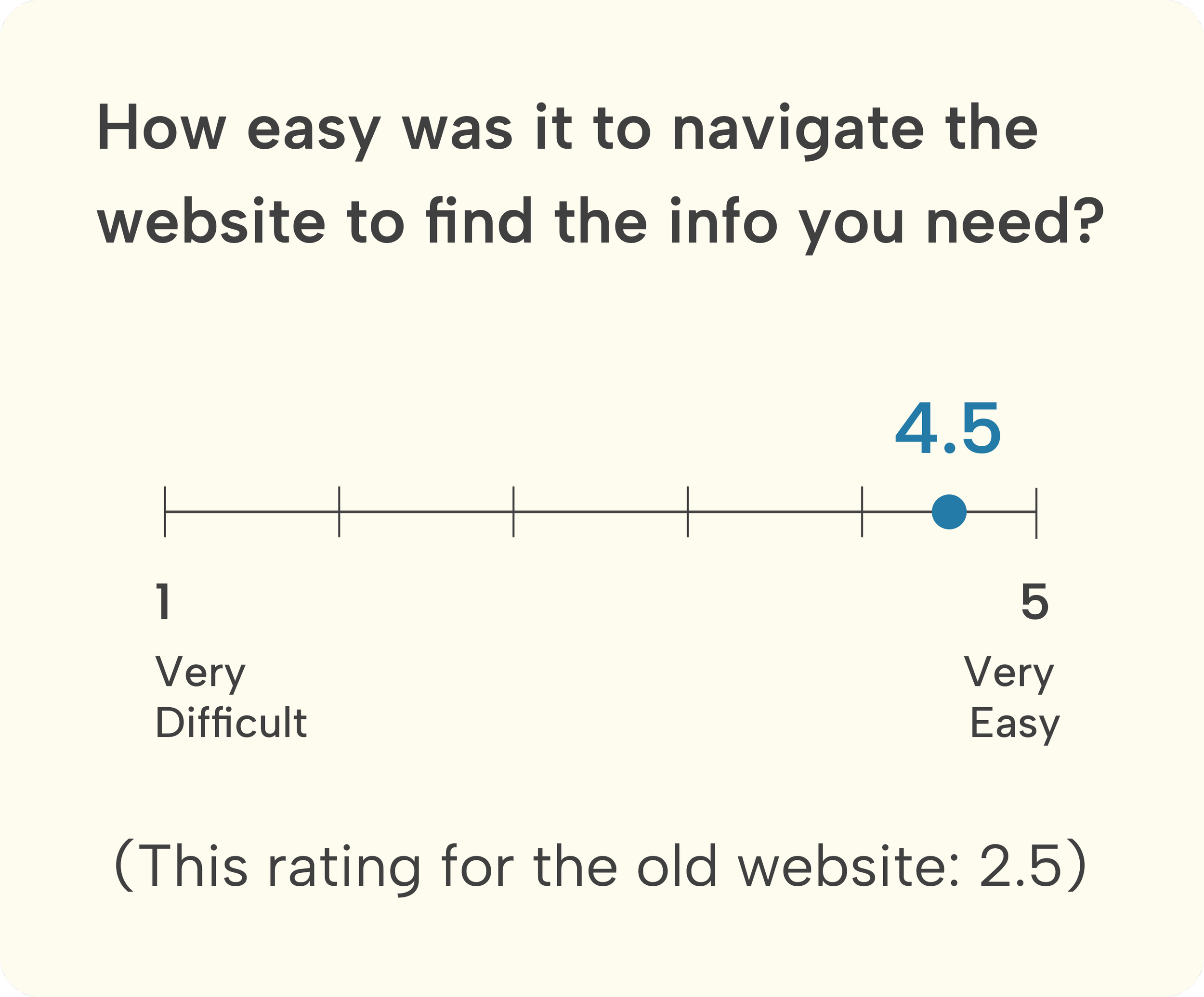
The ease of navigation improved by 80%.
Users achieved a 100% task completion rate for adding a product to the cart, increasing the ease-of-use rating from 1.8 to 4.8 out of 5.
Impact
"This design team was amazing to work with. All members were very engaged, knowledgeable and handed in all deliverables on time. Each individual contributed meaningfully to the end project. They were able to actively listen to our team's requirements, issues and concerns and provide great work arounds and resolutions. I had a great experience with this team!”
- Vanessa L., CEO of VanTech Med
Testimonial
Design Preview (Before & After)

or scroll down to view the full case study
RESEARCH
Project Kickoff
Understanding the client’s business goals and her perspective with the existing website
Our kickoff meeting clarified the client’s business goals: increasing customer engagement, building trust, and driving conversions. We also gained insight into the stakeholder’s perspective on the current website.


Diving deeper into the website’s usability issues
Heuristic Evaluation
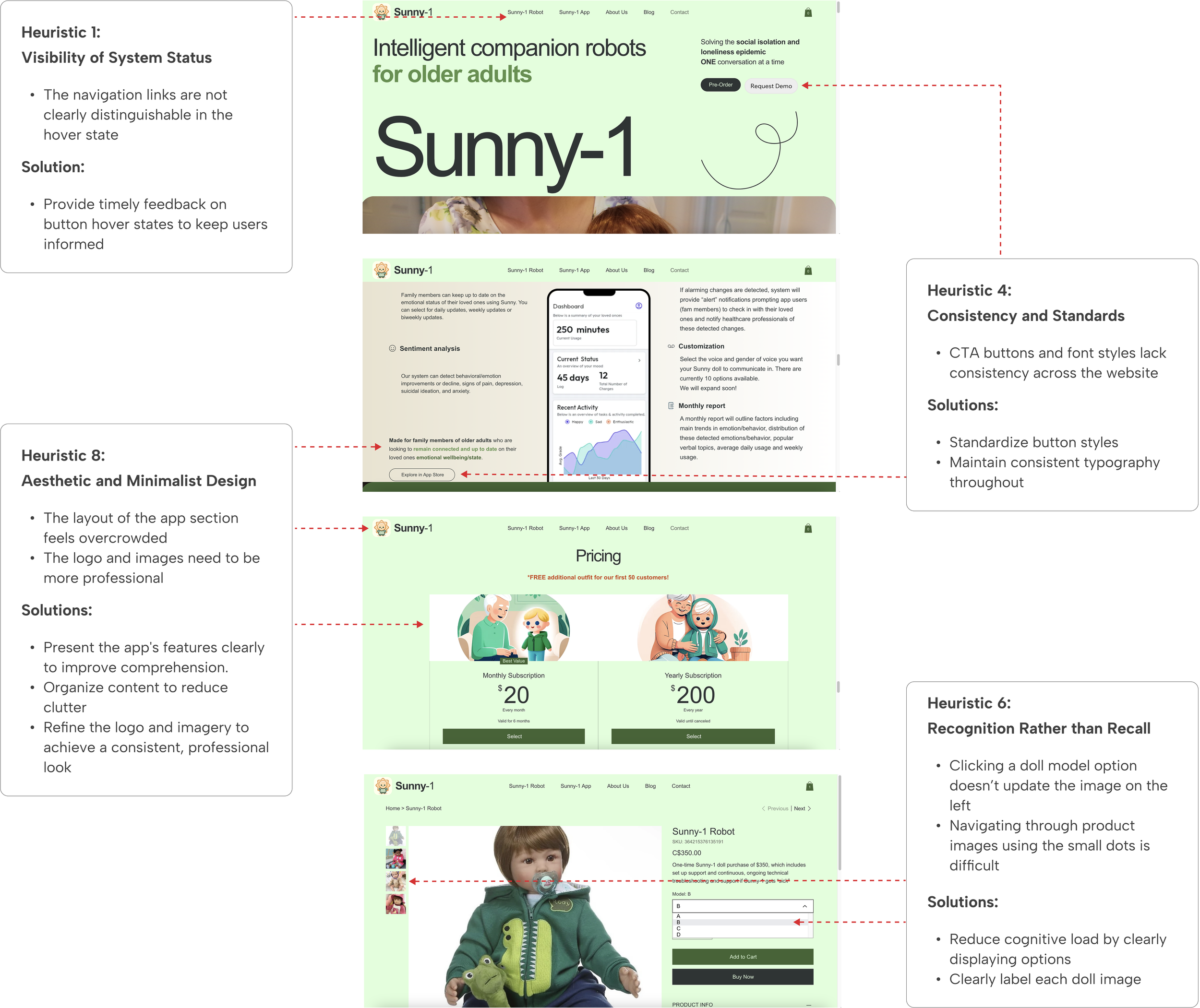
After meeting with the stakeholder, we conducted a heuristic evaluation using Nielsen Norman’s 10 principles to identify design issues. I led a workshop and created a presentation to highlight these issues, informing a usability-focused redesign.
User Interviews
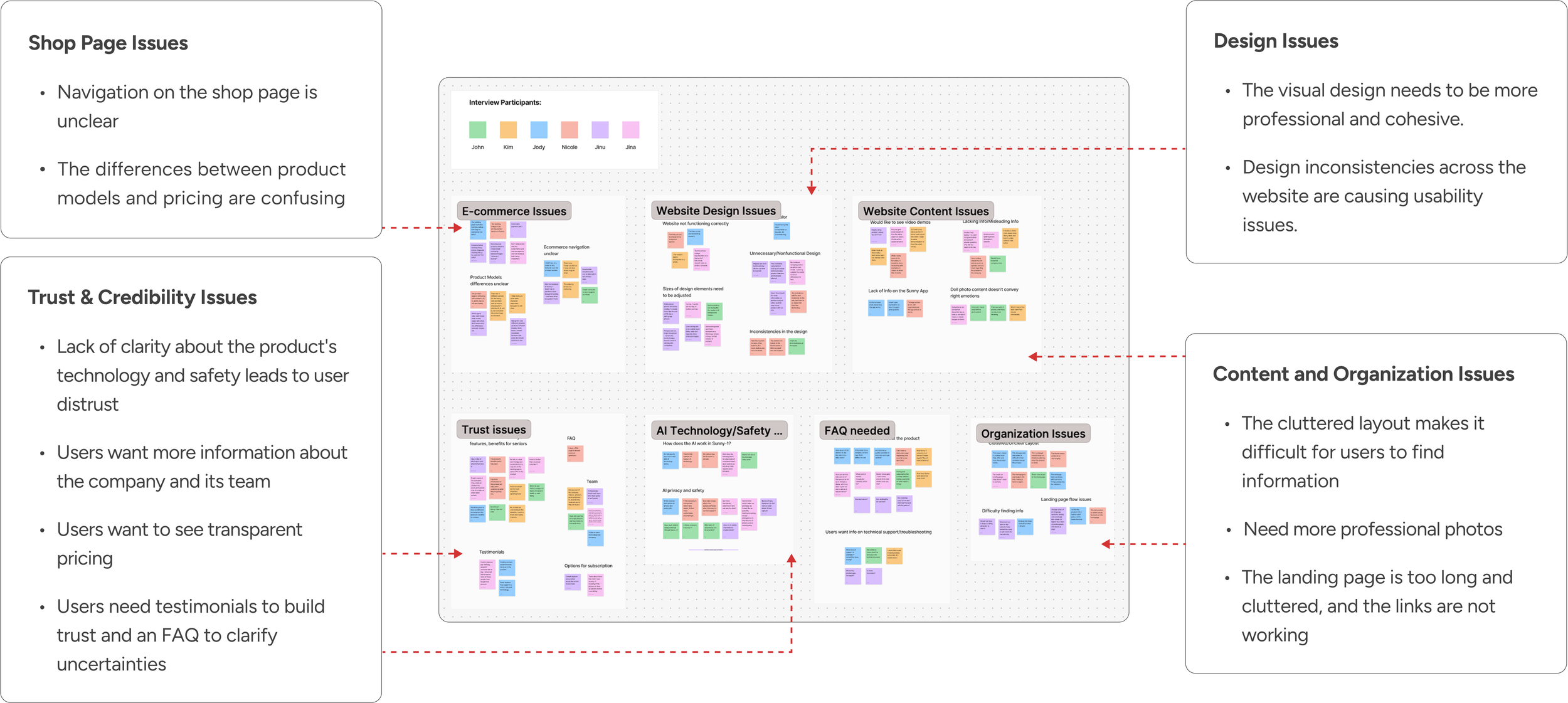
To understand why the site was hindering engagement and sales, we interviewed six potential customers, then conducted affinity mapping and identified 4 key areas for improvement:
1. Design
2. Content & organization
3. Shop page
4. Building trust and credibility
Conducted the startup’s first user interviews for the website and identified 4 key areas for improvement
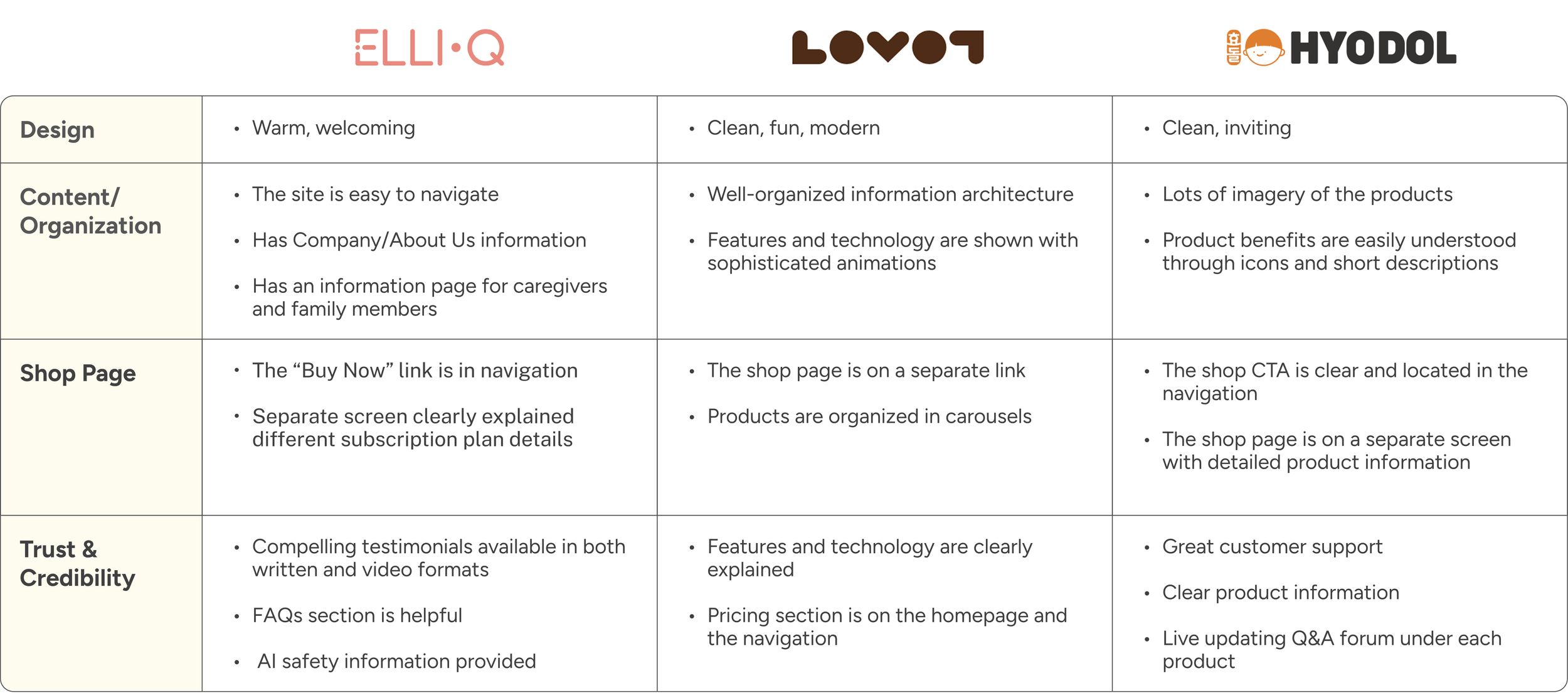
To address the issues identified by users, we analyzed 3 direct competitors to understand their approaches. These companies emphasized clean design, seamless purchase flow, and trust-building features like testimonials and clear product information.
Direct competitors’ approaches in these 4 key areas
Competitor Analysis
DEFINE
Persona

Our target users are mainly family members of seniors who can’t always be physically present with their loved ones and are seeking reliable solutions for companionship and convenient ways to stay connected.
Who are our target users and how might we help?
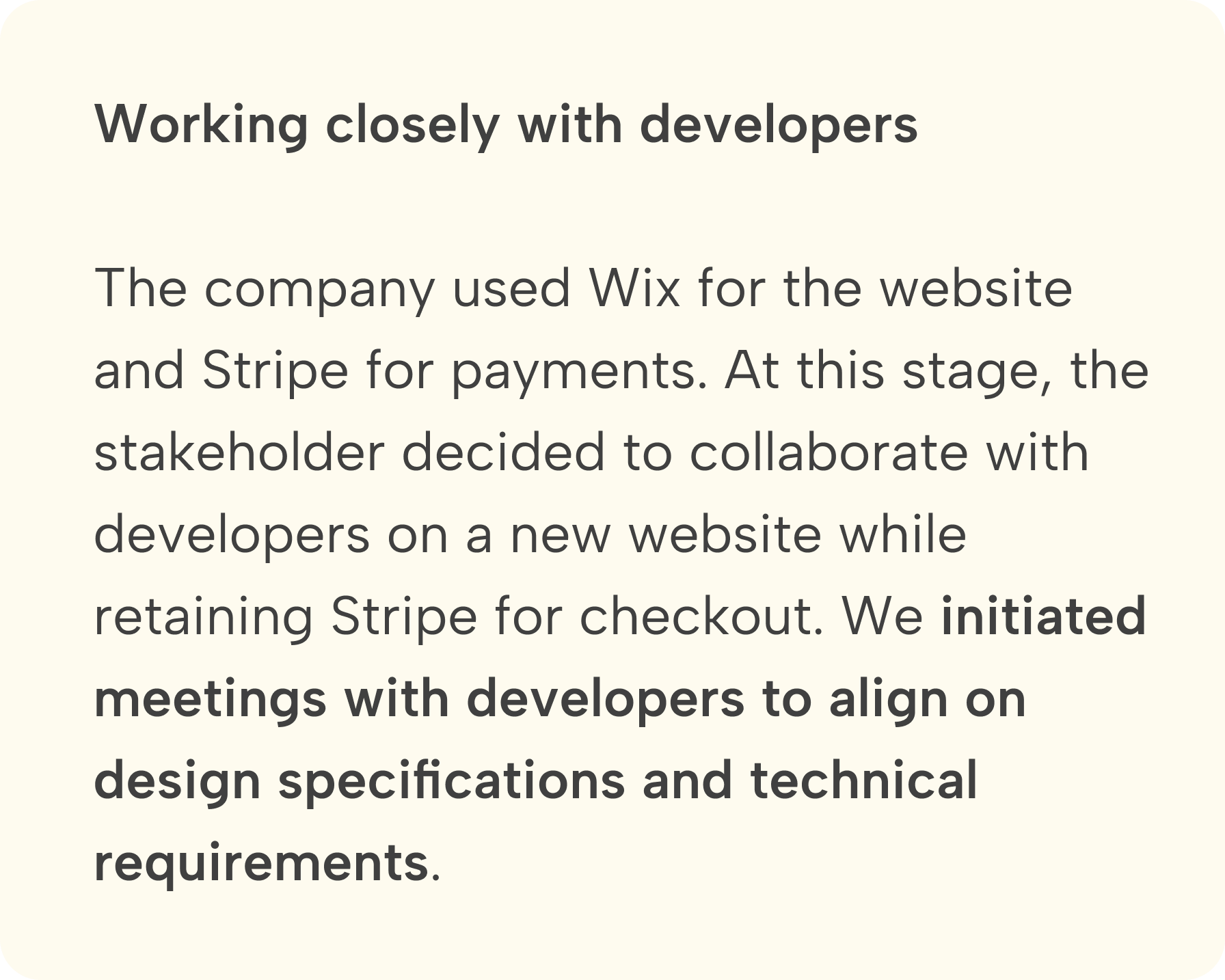
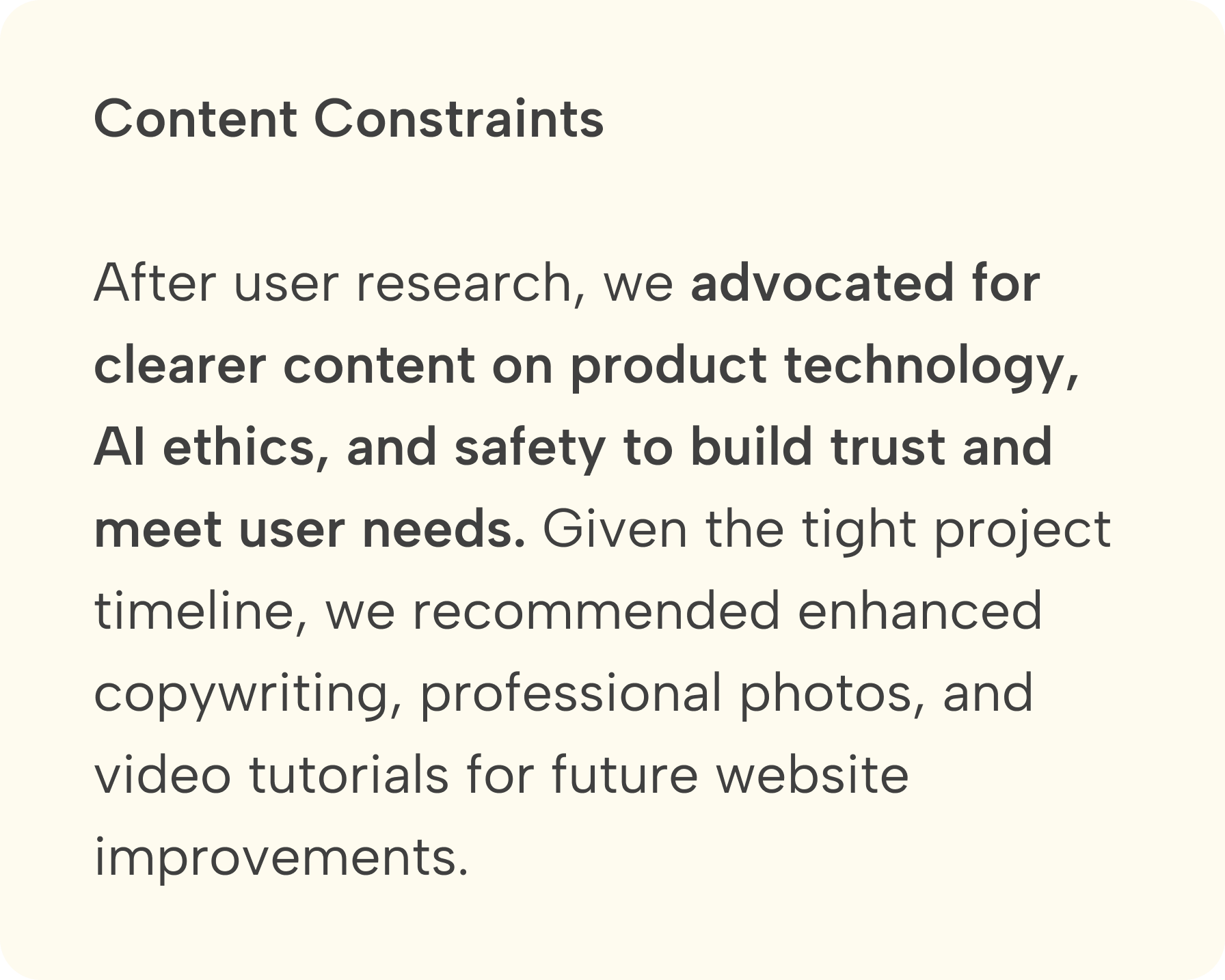
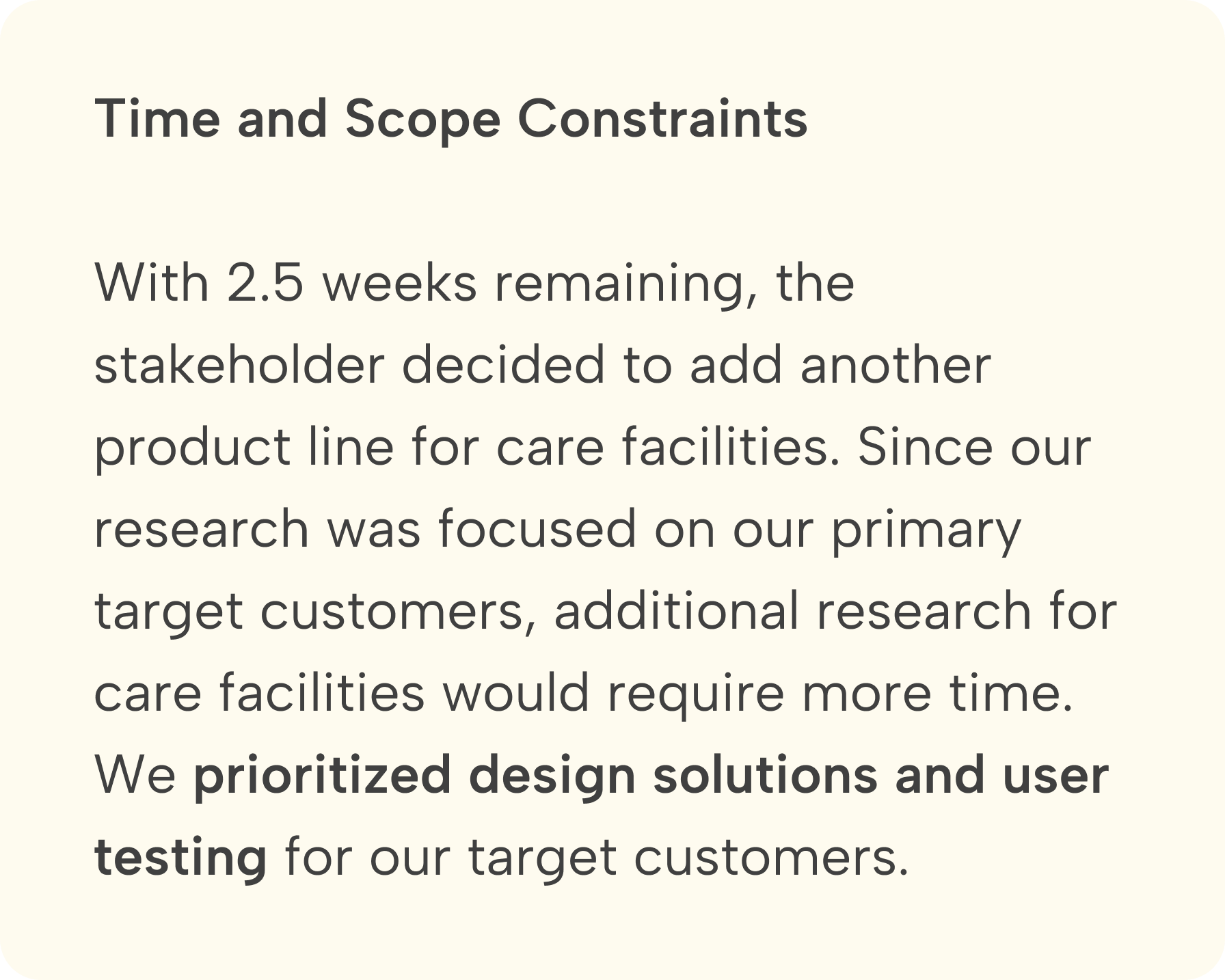
Changes, constraints, and solutions
Midpoint Review
IDEATE
Feature Prioritization
Finalizing must-have features to meet user and client needs
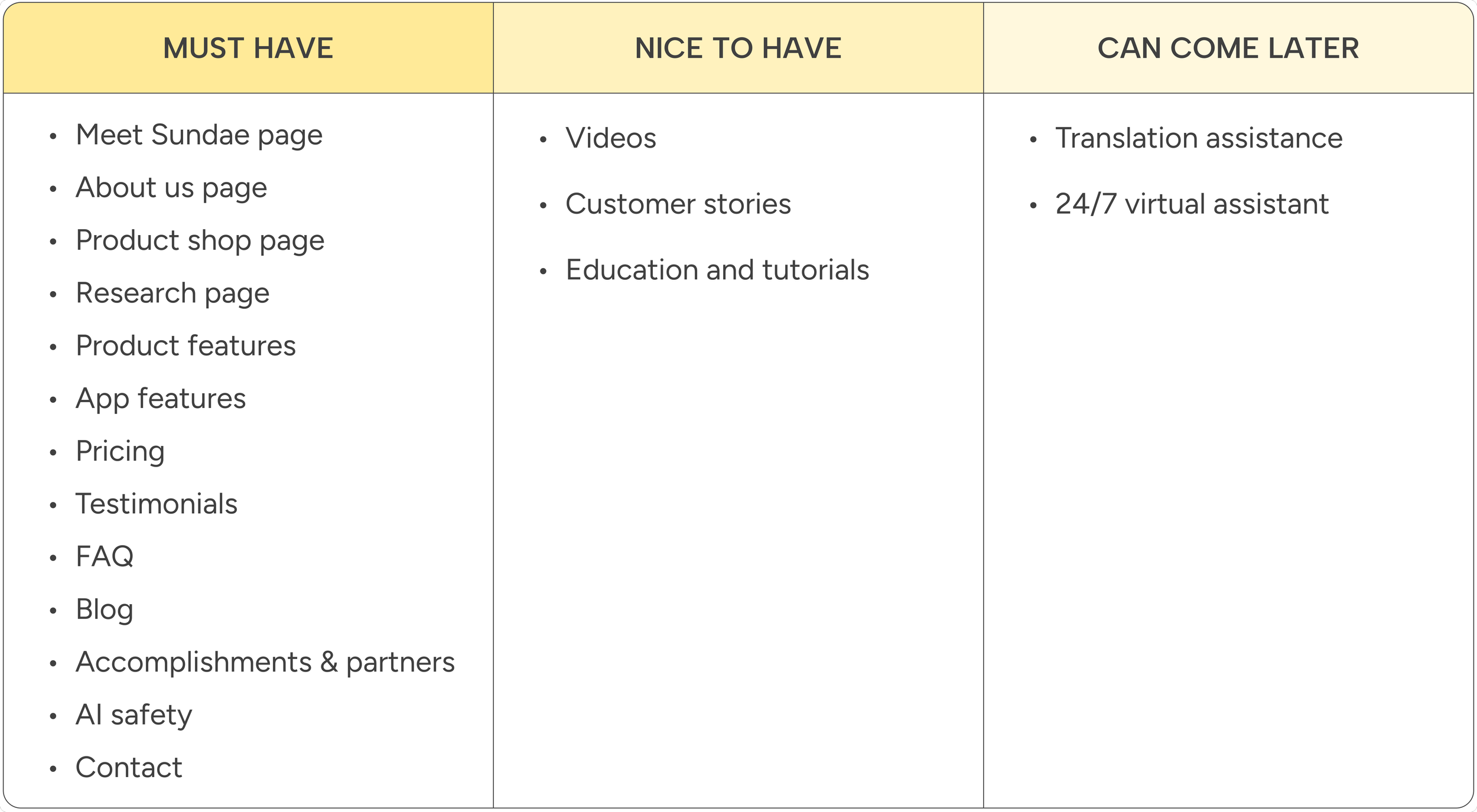
Considering the 4 key areas for improvement and the client’s needs, we collaborated with the stakeholder to confirm the must-have features for the new website and potential features for future improvements.
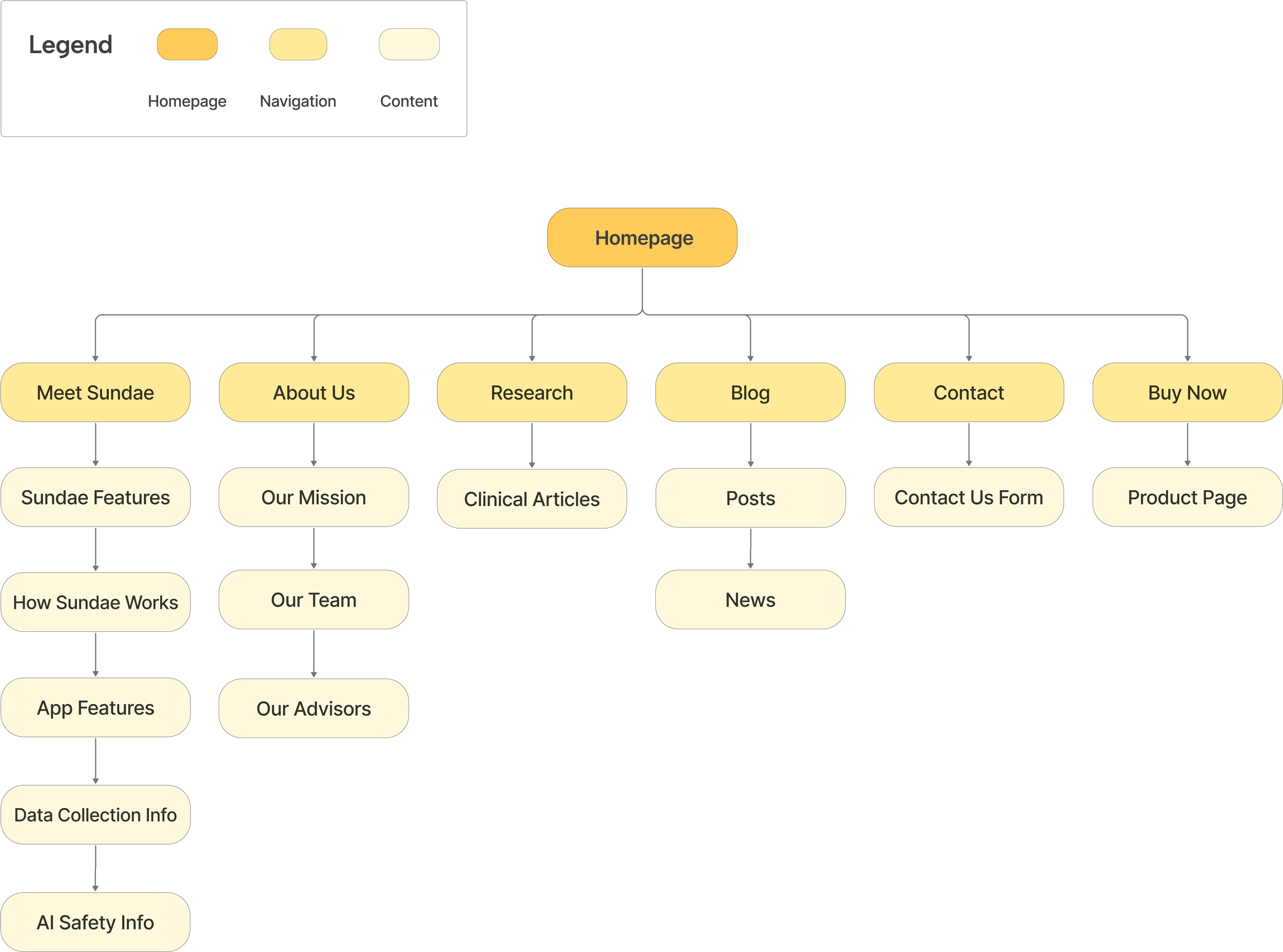
The old website confused users with a cluttered homepage that presented all information at once and included non-functional “Coming Soon” links in the navigation. I updated the sitemap, making it easier for users to navigate.
An updated sitemap to improve navigation
Information Architecture
DESIGN
How did we tackle the 4 key improvement areas identified in our user research?
Design Solutions
Overview:
1. Design: a style guide to ensure consistency and enhance usability.
2. Content & Organization: improved content organization and navigation.
3. Shop page: clear product details, plans, and pricing in a streamlined layout.
4. Trust & credibility: new Meet Sundae, About Us, and Research pages.
1. Design
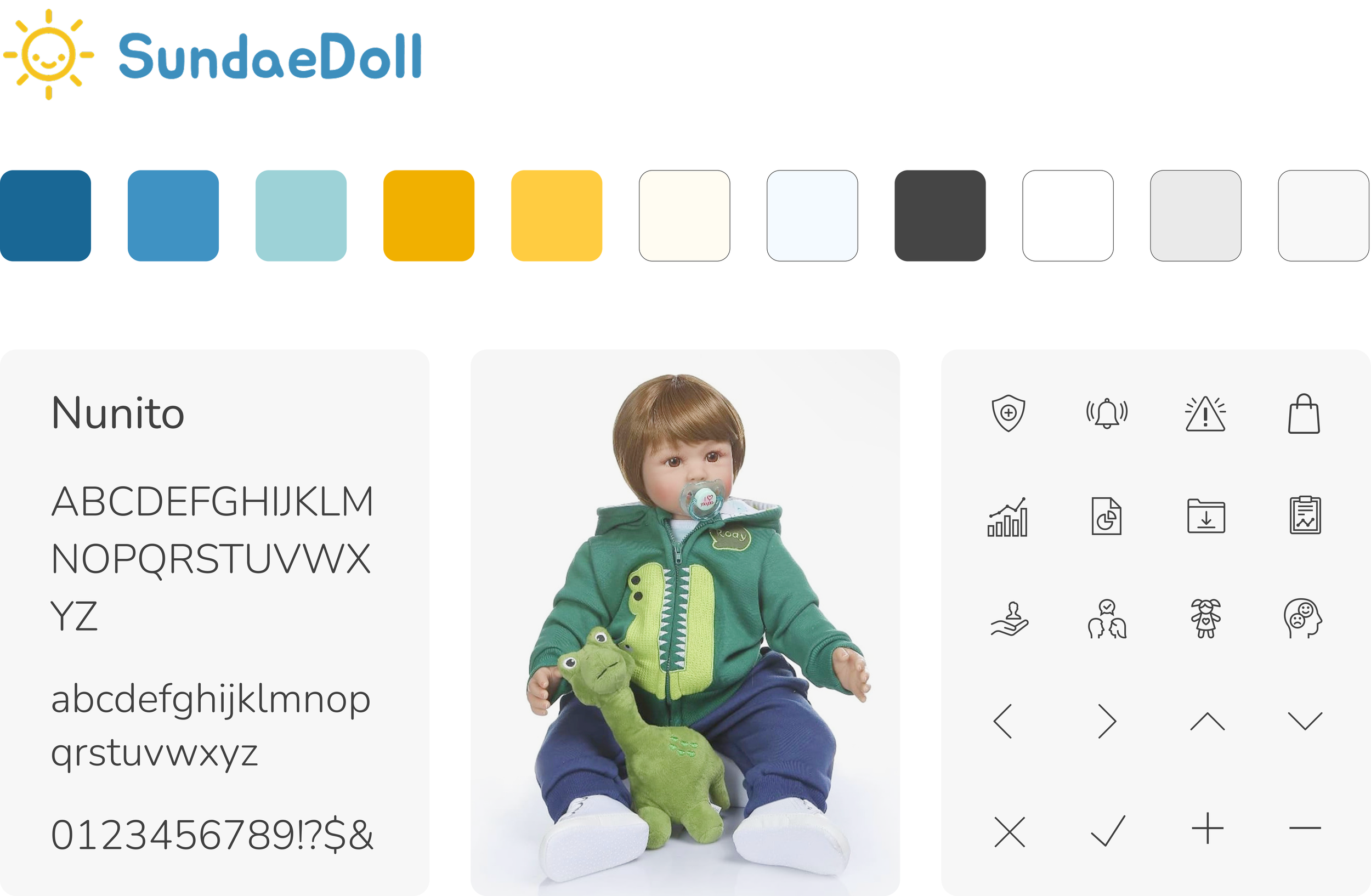
With only a logo, font, and two colors provided, we built a full style guide, expanded the palette, and chose icons to create a professional yet friendly tone, and collaborated closely with the team for alignment.
2. Content & organization
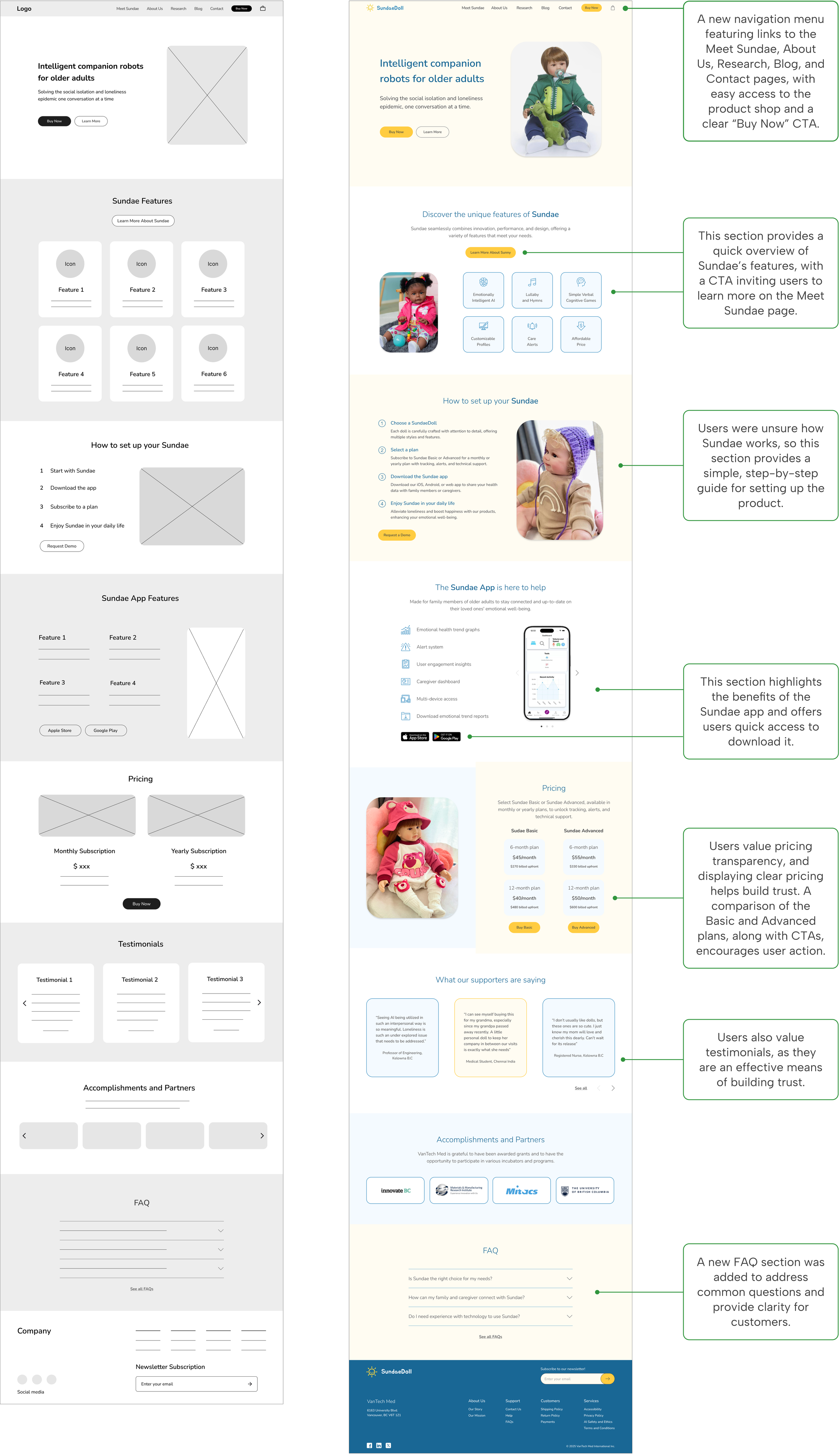
I contributed to the homepage design and ensured consistency across different screens. The homepage presents Sundae with a clean, user-friendly layout that highlights key features and ensures easy navigation.
Hi-fi
Lo-fi
3. Shop page
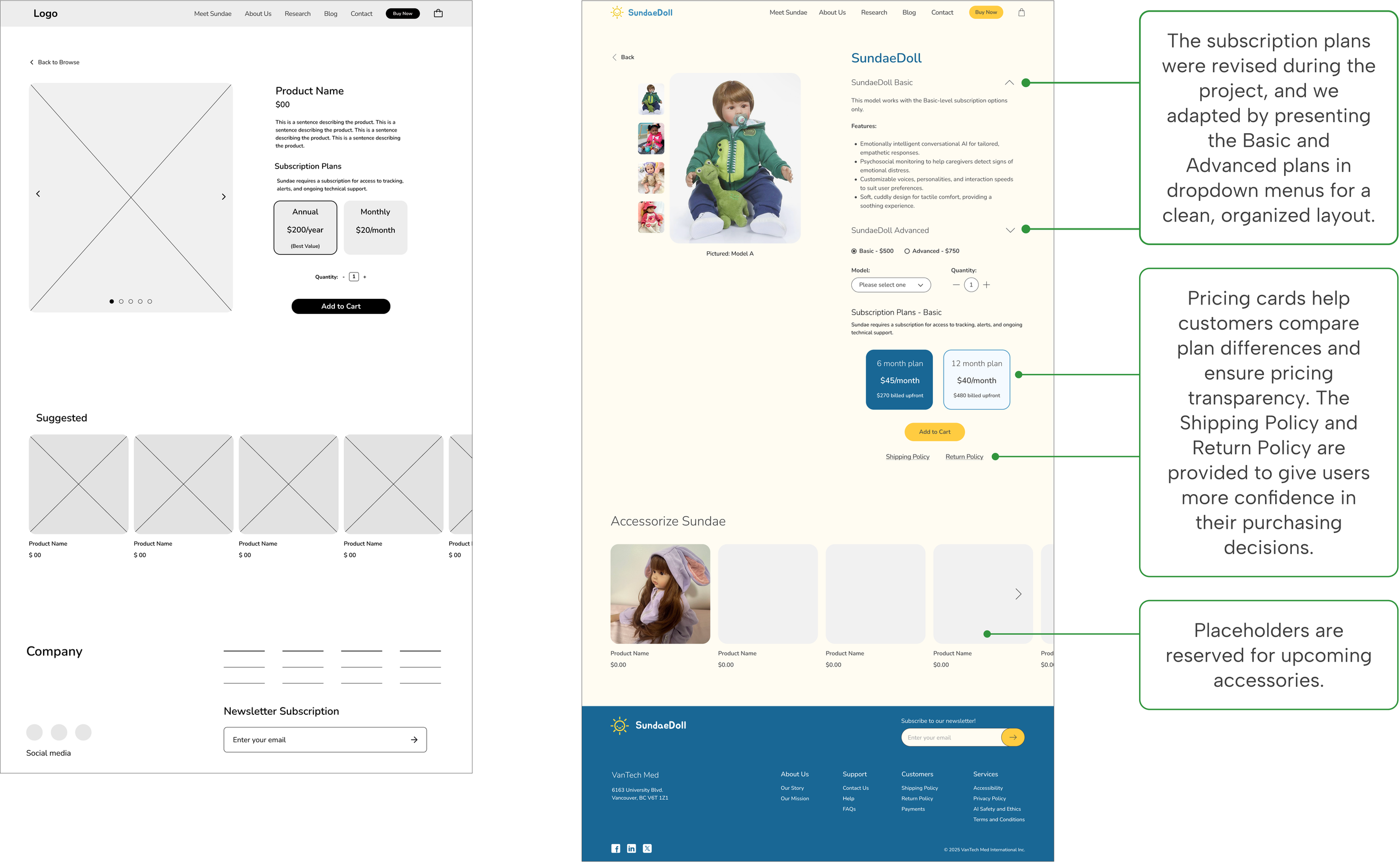
For the product detail page, we we clarified details, plans, and pricing with clear headings, bullet points, and a streamlined layout to simplify navigation and the Add to Cart process.
Lo-fi
Hi-fi
We created new pages for Meet Sundae, About Us, and Research to enhance credibility and build trust with customers by providing clear, detailed information about Sundae’s features, technology, safe data collection, AI safety, doll therapy, and clinical articles, as well as the company’s team and mission.
4. Trust & credibility

TEST & ITERATE
We conducted usability testing with six participants to assess the design, uncover usability issues, and identify areas for improvement. The testing focused on the new navigation, user confidence after learning about the product, and the ease of adding a product to the cart.
Testing navigation, user trust, and add-to-cart ease to improve the user experience
User Testing
Success Metrics
What went well?

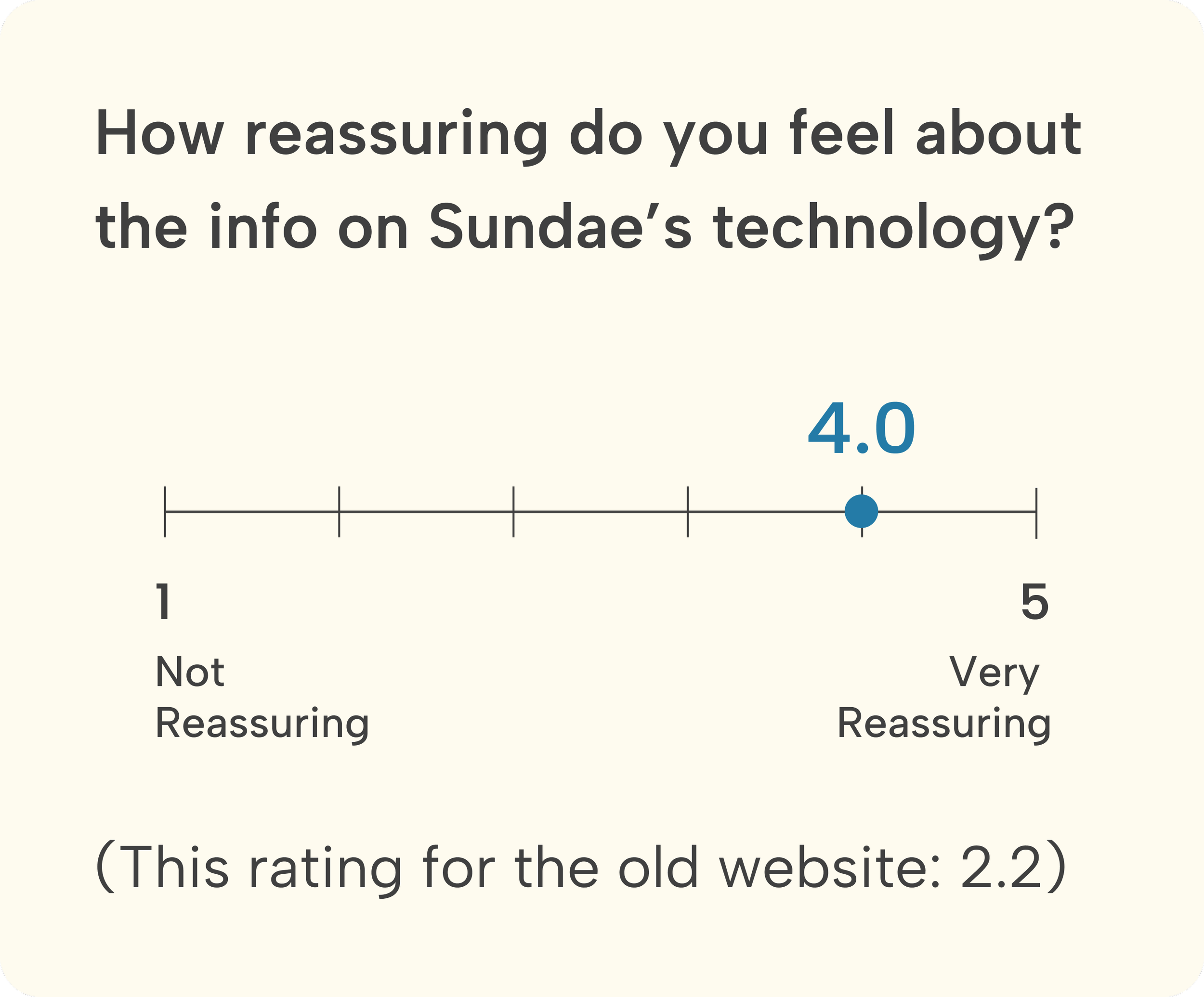

1. Homepage pricing section: clearer comparison of Basic vs. Advanced plans
Areas for Improvement
Before
After
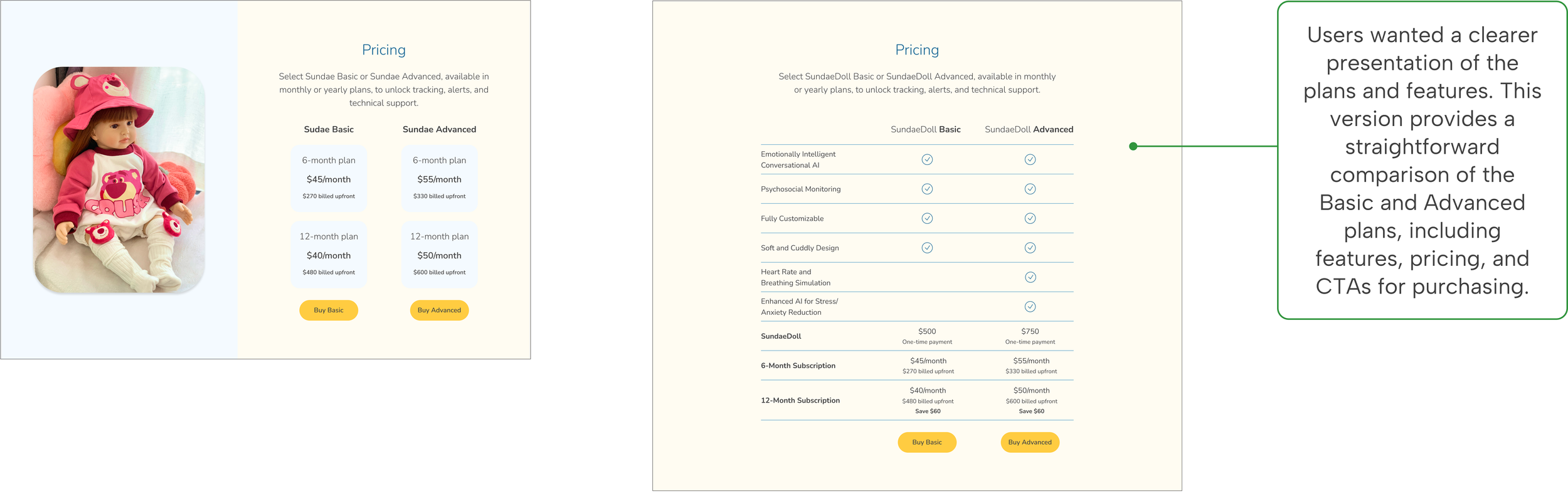
2. The How Sundae Works section on the Meet Sundae page was revised to address user confusion
Before
After

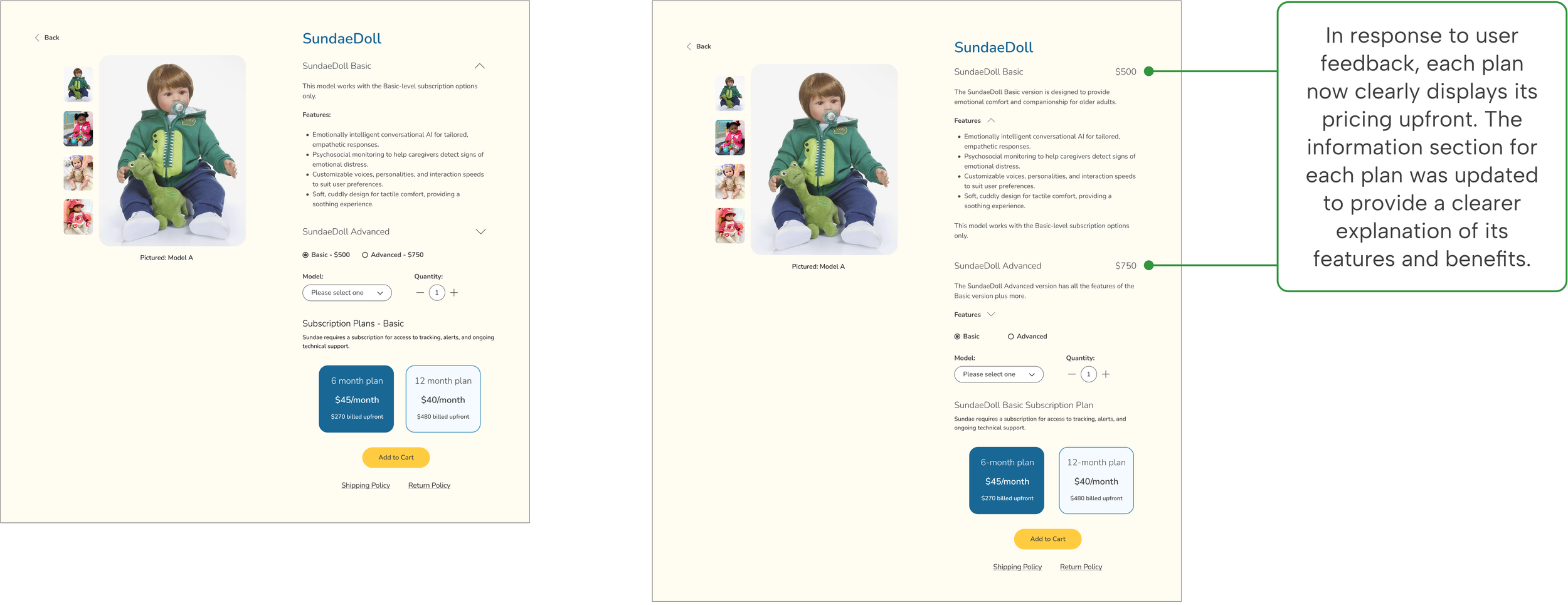
3. Transparent pricing for a more confident shopping experience
Before
After
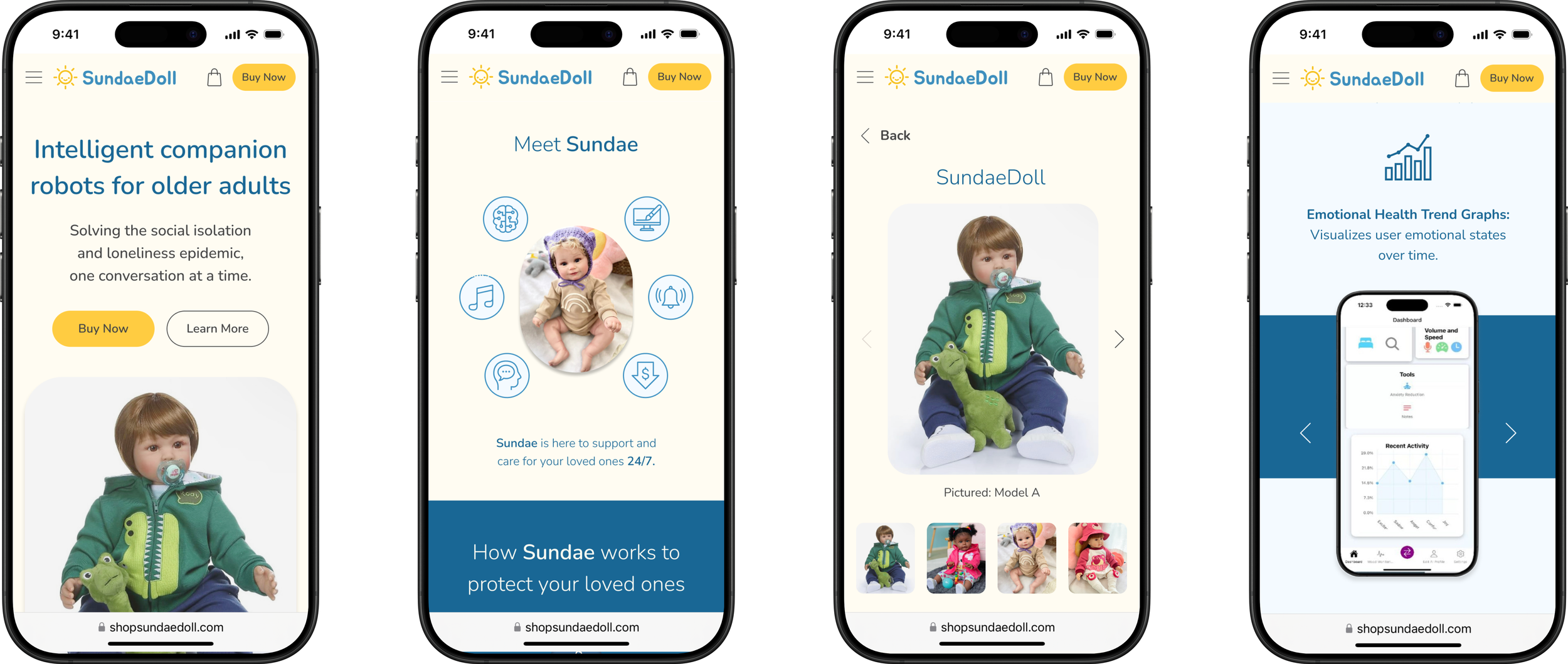
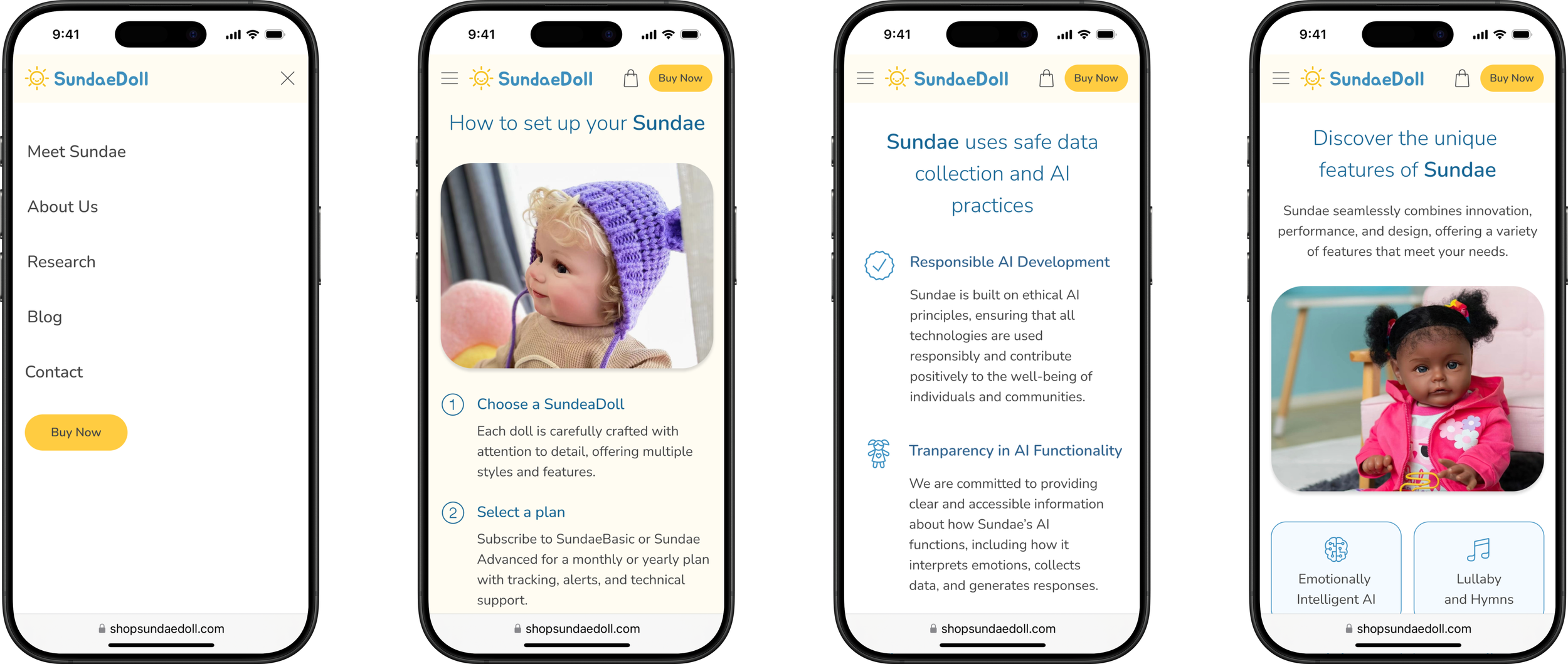
We designed for desktop and also created the mobile version of the key screens to demonstrate to the client how the design would appear on mobile, ensuring a seamless, responsive layout and user experience.
Optimizing for desktop and mobile devices
Responsive Design
UI Guide
Developer handoff
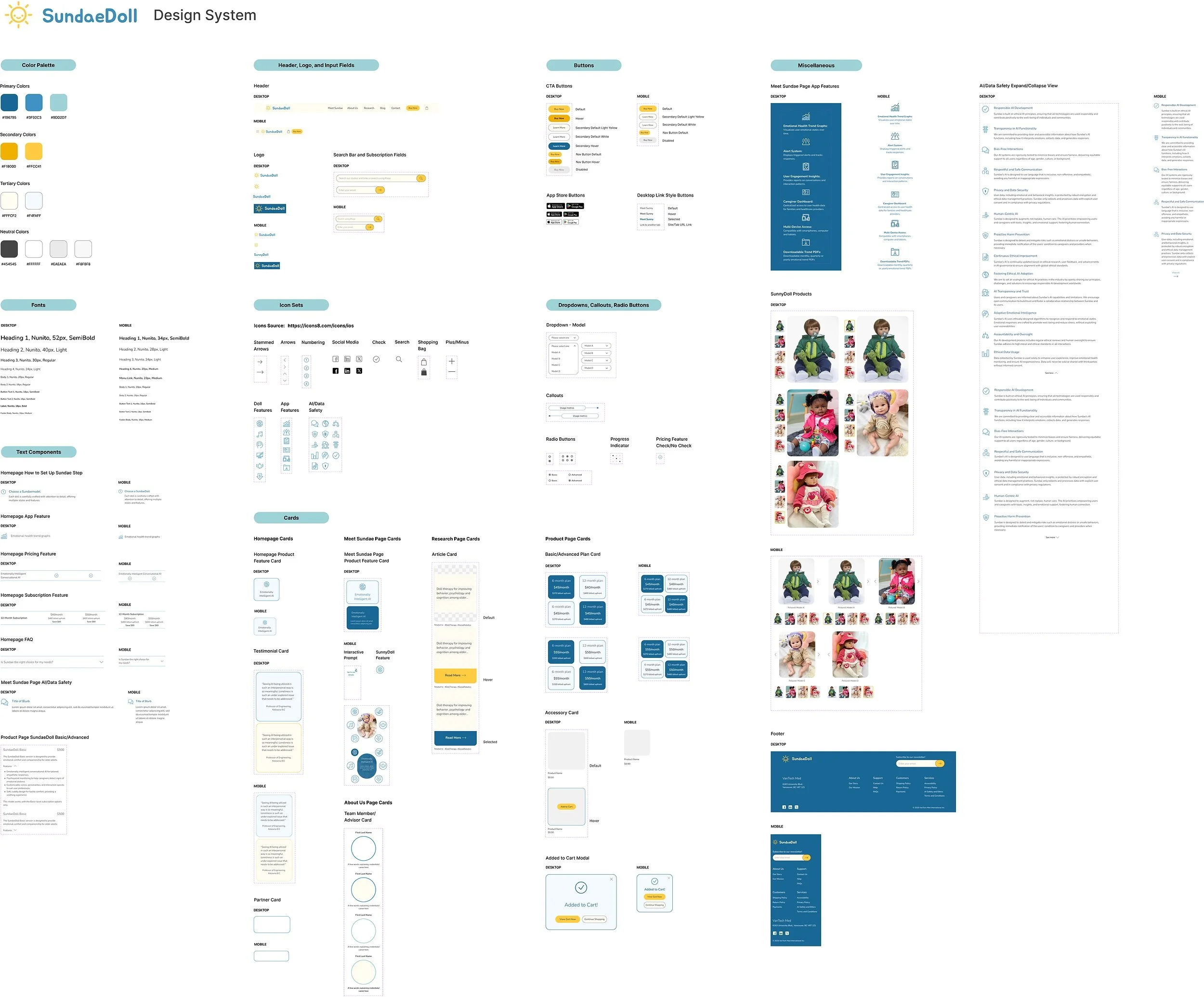
For the project handoff, we held a meeting with the developers to ensure a smooth transition. I led the organization of a clear, cohesive design system, giving the client a comprehensive reference for seamless implementation and future updates.
REFLECTION
What We’ve Accomplished
Launched a new website that boosted customer trust, raising the trust score from 2.3 to 4.2 out of 5, an 82% improvement.
The ease of navigation improved by 80%.
Users achieved a 100% task completion rate for adding a product to the cart, increasing the ease-of-use rating from 1.8 to 4.8 out of 5.
Lessons Learned
Collaborating with designers, developers, and stakeholders underscored the importance of cross-functional teamwork. I facilitated meetings with regular check-ins and clear communication to keep the team aligned across time zones.
Working with a startup, where priorities and requirements can shift quickly, taught me how to handle feedback, make adjustments as needed, and remain adaptable to change while maintaining the overall design vision.